
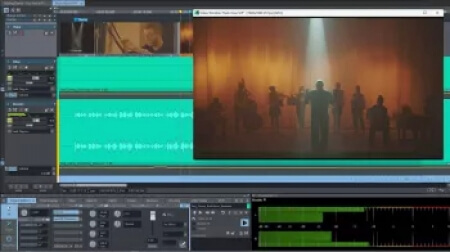
Post-Production, Mastering and Broadcast
The world's most renowned studios rely on Sequoia - now with a new ADM editor and Dolby Atmos rendering for immersive 3D audio productions. Broadcasters and top sound engineers trust its reliability, intuitive workflow, and flexible integration in the studio and live environment.
Hybrid Audio Engine
With its intelligent latency management, the Hybrid Audio Engine delivers uncompromising audio quality. Reduced response time when calculating track effects allows for live monitoring at lower latencies. In addition, the integrated High Latency Engine ensures more effective system utilization and the integration of sophisticated object, AUX & Surround functions. Create flawless 32-bit float recordings and achieve maximum precision at up to 384 kHz. Take advantage of unsurpassed clarity and detail on your most demanding projects.
Object-Based Editing
Every aspect of your audio project is in your hands with Sequoia's object-based editing. Break your tracks into as many objects as you need and position them anywhere on the timeline. Every object has custom fades, effects, automations, and even routing. Object-based editing gives you real-time control over every parameter so that you can tweak, refine, and perfect your sound at the most granular level.
Mastering
The best mastering engineers in the world rely on Sequoia for their most important projects. Discover seamless workflows and diverse professional tools and functions, including object-based editing, artifact-free resampling algorithms, and multi-codec export. The greatest advantage of all? Sequoia simply sounds better. The high-performance audio engine delivers unparalleled sound.
Live and Classical Productions
When it comes to concert audio production, stability and reliability are of the utmost importance. Professionals such as Antony King work exclusively with Sequoia for track-intensive projects. Whether for pop, rock, or symphony orchestra, Sequoia effortlessly handles up to 512 inputs and offers consistent performance. It also offers innovative features such as multi-synchronous cut and source/destination editing.
Broadcast
Time and stability are crucial factors in broadcasting. That's why major broadcasters such as ARD, ZDF, and Radio France rely on Sequoia and its direct and fast connection to the latest broadcast CMS and automation systems. The ultra-powerful audio engine allows material to be edited and directly broadcast to stations even while recording is in progress.
ChangeLog - Sequoia 2026.5
Spatial Panner - all stereo / surround / ADM / Atmos panning in one place
ARA - New ARA plug-ins can now be detected and instantly used
Soundminer database - Integration and extensive improvements for the upcoming Soundminer V7 update
New features and changes in detail
09/09/2026 Sequoia 2026.5.1 Build 26213
Spatial Panner
[SEQD-695] Plug-in panning mode now embeds plug-in dialog into panner, including
* new parameter display
* buttons for menu functions
* button for replacing the plug-in
* bridged plug-ins are not allowed anymore
* Show “Pan:” prefix for surround panner plug-ins in FX routing dialog
[SEQD-1185] Draw mode
* Surround automation can be drawn into current range
[SEQD-1432] may use currently selected object for object surround panning
* New Timed draw mode considers velocity of drawing
Use Shift key as momentary switch for alternate draw mode
[SEQD-1185] New setting to enable draw mode one-shot mode
[SEQD-1430] The drawn-in trajectory is visualized in the Spatial panner
[SEQD-1212] Use existing pan / surround automation when linking targets or adding target routing
* if only new target contains automation, it is used / copied automatically
automation is also copied when switching from stereo to surround
* if new target and old link leader contain automation, there's a new dialog to select which automation to use
* if new link leader is surround target and old one stereo, only X automation is used
* new curves create automation lanes (also when unlinking targets)
* unused pan automation for a linked target will be deactivated
[SEQD-1321] Don't show center level for adm panning
[SEQD-1436] Button design updates
[SEQD-1256] Link/mute/solo can be used for multiple selected targets
Spatial panner bugfixes
[SEQD-1420] Ctrl + click multi-selection in source view didn't work
[SEQD-1426] Plug-in mode
* Plug-in mode was affected by FX reset, copy & paste and loding of track FX presets
* Inconsistent plug-in mode state without plug-in after using mixer widgets surround pan menu
* Wrong colors for plugin display in track editor
[SEQD-1297] [SEQD-1299] [SEQD-1431] Automation issues
* Issues with preview mode for surround curves
* Several update issues with stereo and surround automation
* Unlinked targets seemingly followed automation
* After Spatial panner was opened a stereo pan automation could affect surround panning
* Improved handing for changing pan / surround parameters while in read mode (or write mode with disabled Pan filter)
* Parameter now is correctly updated in GUI and used for audio processing
* Correctly display L/R for left / right positions in stereo panorama knob value display
* Spatial Panner automation latch + overwrite mode issues
[SEQD-1241] Issues with opening and closing Spatial panner
* User defined shortcuts for opening can now also be used for closing
* Spatial panner shortcut shown in view menu
* Surround control in mixer / track editor with surround busses: Right click consistently shows downmix matrix when available, Ctrl + right click opens Spatial panner with surround busses selected as target
[SEQD-1235] Shortcuts in Spatial panner
* Added tooltips for source/target popup buttons
* Target routing active/inactive shortcut changed, now Alt +X
* Global menu shortcuts didn't work
Linking
[SEQD-1236] Stereo panning was not transfered from non-primary stereo output
[SEQD-1236] Surround pannning was not transfered to followers when deleting primary output
[SEQD-1362] ADM objects still were linked, even if leader was using matrix or plug-in mode
Issues with Dolby 9.1.4 and 9.1.6 setups
[SEQD-1328] Change lw and rw position to reflect atmos-specific values
[SEQD-1329] Change order of wide speakers in dolby 9.1.x setups
[SEQD-1315] Even with speaker snap to lw and rw active there was audio output to other channels
[SEQD-1199] New time edit field “Duration of current CD track until pause”
[SEQD-1068] “Freeze” column to object manager added
[SEQD-1434] After an internal restart with a logged in user Sequoia doesn't ask for credentials again
Bugfixes
HDPI issues
[SEQD-1039] Prevent visual glitches in HDPI setups when opening mixer from Spectral Cleaning
[SEQD-1027] Crossfade Editor on 2nd screen with different DPI changed marker or range marker track height in arranger - fixed some remaining issues
Plug-ins
[SEQD-1481] Because coreFX plug-in states saved in version 2026.5.0 are incompatible with other versions, they can't be loaded anymore.
[SEQD-1281] Issues and crashes when trying to add ARA plug-in into surround bus or folder
[SEQD-933] Issues with restoring state of UADx plugins while loading project
Stereo panning issues
[SEQD-1429] Stereo pan was not displayed in peak meters and visualisation for economy tracks and economy engine (including WDM) if “Primary output only” was active (default setting)
[SEQD-1460] “Primary output only” was reset when loading stereo pan presets
[SEQD-1458] Wrong panning for post AUXes by missing linking state after legacy stereo conversion
Mixer
[SEQD-568] AUX bypass buttons were not linked with track selection
[SEQD-568] Linking several surround folders/busses/masters by track selection didn't work
[SEQD-1327] Missing update of surround pan display after AUX bus was added in mixer
[SEQD-1427] Corrupted mixer after deleting busses or surround master
Arranger
[SEQD-889] Zooming issues when clicking in empty area below arranger
[SEQD-1294] Issues with “Create MIDI object in range” without active range
[SEQD-1261] Drag'n'drop display issues
* Fixed Clipstore drag-and-drop placement and added a clip start position line.
Automation
[SEQD-1040] Issues with AUX usage for Presonus faderport
[SEQD-1040] Issues with AUX display in preview mode
[SEQD-1212] Display all lanes command didn't work correctly, if a lane was selected
[SEQD-1212] Inactive curves are displayed dashed again to improve their visibility
[SEQD-995] Wrong start value when copying persistent AUXes to another track
[SEQD-1231] Issues with external tools
* default passing of filename as argument didn't work anymore
* wrong styling
[SEQD-1361] Issues with destructive wave editing mode
* Loading and drag&drop of wave files did not work with default destructive editing mode
* Crashes with loading audio files in destructive mode with Eucon/OSC active
* Normalizing of 32 bit float files was broken
ADM / Dolby Atmos
[SEQD-1313] Keyboard focus and space issues in Dolby Atmos renderer
[SEQD-1131] On/Off behavior of ADM interactivity toggles and Min/Max textboxes fixed
[SEQD-1244] Improved ADM localization for all languages
[SEQD-1365] Refresh surround visualisation on project switch
[SEQD-1441] Grid toolbar size in legacy skins (e.g. StarGray)
[SEQD-1439] Keep error messages and request dialogs above system options dialog to avoid focus issues and possible crashes
[SEQD-1341] Recent setting changes might be missing when saving settings as INZ
[SEQD-792] Video: Show/hide timestamp after toggling option
[SEQD-1259] Exporting wav + mp3 in one go into same file repeatedly didn't update MP3 peaks
[SEQD-1419] Eucon: issues with track automation button and display
[SEQD-1368] Installer issues with audio data path
Home page
DOWNLOAD